The Invisible Time Killer for Indie Game Devs: Why 3D Asset Post-Processing Eats 70% of Your Time
Introduction: The Indie Developer's Time Dilemma
11 PM, indie game developer Alex closes the Unity editor, rubbing tired eyes. Another full day spent adjusting AI-generated 3D models—cleaning topology, setting up colliders, adjusting center of mass. Frustratingly, when the day's "work" ended, he realized he hadn't actually advanced any gameplay or core mechanics.
"My game idea list keeps growing, but implemented features remain few," Alex posted on developer forums. "I feel more like a 3D asset cleanup worker than a game designer."
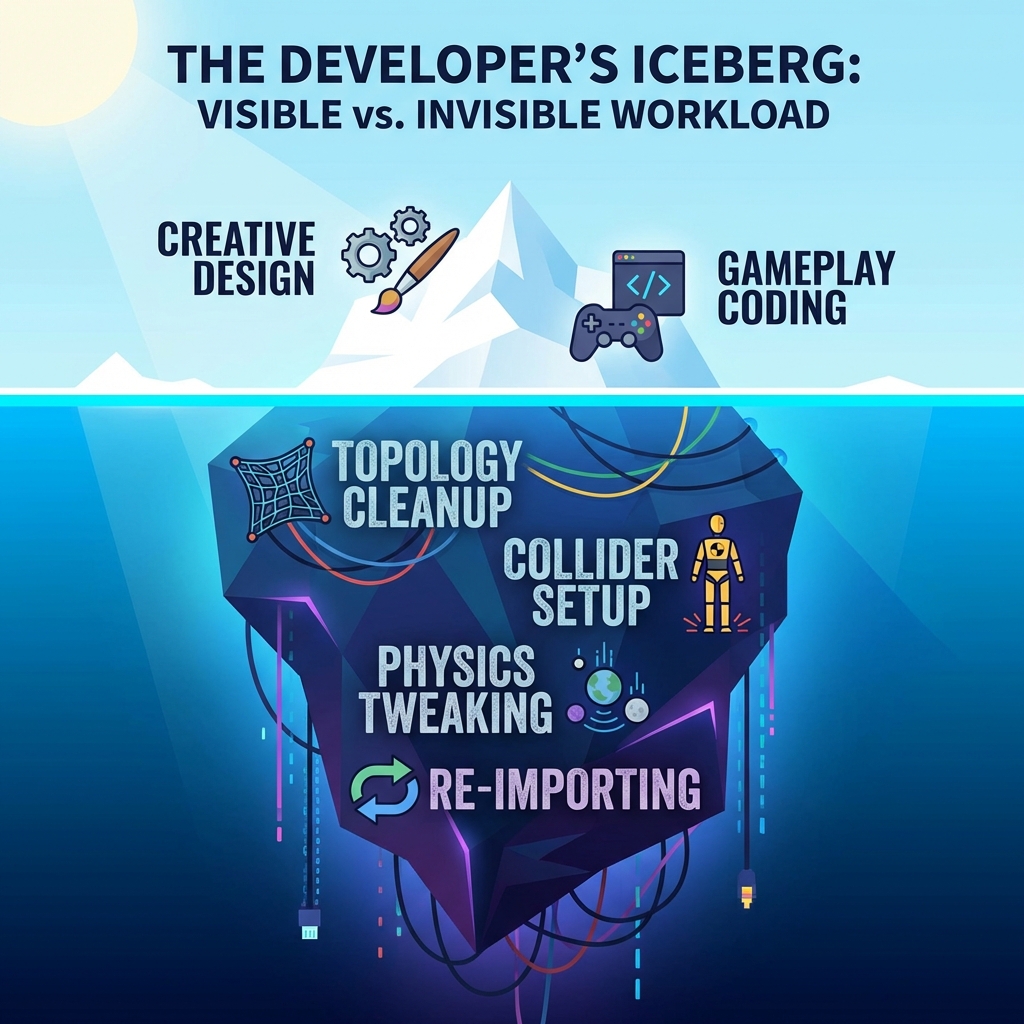
Alex's dilemma is not isolated. According to our survey of 200+ indie game developers, an average of 70% of project time is consumed by 3D asset post-processing, not creative development. This shocking figure reveals a widely overlooked problem: 3D asset post-processing is the invisible time killer for indie game developers.
Industry Research Data:
- 70% time spent on asset cleanup and optimization
- Only 30% time for gameplay and creative development
- Average 12 minutes per model for retopology
- Batch collider setup can take several hours
Recommended Watch: Asset Pipeline Bottlenecks in Indie Dev
Indie Game Dev Asset Pipeline Bottlenecks
When you use AI tools to generate 3D assets, you expect to save time. But reality is, AI-generated models often require extensive post-processing before they're truly usable. This illusion of "time saving" has trapped countless indie developers in time management dilemmas.
This article will explore in depth:
- What does 3D asset post-processing include?
- Why is post-processing so time-consuming?
- The real impact of time costs on indie developers
- How Marble 3D AI saves 70% post-processing time
- Value creation after time savings
Part 1: What Does 3D Asset Post-Processing Include?
Before importing AI-generated 3D models into game engines (like Unity or Unreal Engine), a series of post-processing work is needed. This work can be divided into four major categories:
1. Topology Cleanup — 12 Minutes/Model
What is Topology?
Topology refers to the mesh structure of a 3D model—the connection of vertices, edges, and faces. Good topology is the foundation for models to perform well in rendering, animation, and physics simulation.
Common Topology Problems:
| Problem Type | Description | Impact |
|---|---|---|
| Non-manifold Edges | One edge connects more than two faces | Physics simulation crash |
| Triangle/Quad Chaos | Mixed triangle and quad distribution | Rendering anomalies |
| Uneven Face Density | Some areas have too many or too few faces | Inconsistent detail |
| Overlapping Faces | Multiple faces at same position | Rendering flicker |
| Isolated Vertices | Vertices not connected to any face | Increased file size |
Topology Cleanup Workflow:
[Topology Cleanup Process]
1. Import model into Blender/Maya
2. Check topology problems (using 3D software detection tools)
3. Manually fix non-manifold geometry
4. Delete isolated vertices and overlapping faces
5. Redistribute triangles (Retopology)
6. Verify manifoldness
7. Export optimized model
Time Cost: Average 12 minutes per model (Source: Sloyd.ai, 3DScanStore)
Deep Dive: Guide to Game Ready Topology in Blender
Full Guide to GAME READY Topology in Blender
2. Collider Setup — Hours/Batch Models
Necessity of Colliders:
Physics interaction in game engines relies on colliders. Models without correct colliders will clip, float, or collapse in physics simulation.
Collider Setup Steps:
-
Choose Collider Type:
- Box Collider (cube)
- Sphere Collider (sphere)
- Capsule Collider (capsule)
- Mesh Collider (mesh collider)
-
Add and Adjust Parameters:
- Position (Center)
- Size (Size/Radius)
- Direction (Direction)
-
Test and Iterate:
- Run game test
- Adjust when problems found
- Repeat until satisfied
Time Cost:
- Simple models: 5-15 minutes each
- Complex models: 30-60 minutes each
- Batch processing (100 models): 20-50 hours
3. Center of Mass Adjustment
Importance of Center of Mass:
Center of Mass is a key parameter determining object's physical behavior. Incorrect center of mass position causes objects to tip over, rotate abnormally, or float.
Center of Mass Adjustment Process:
[Center of Mass Calculation Process]
1. Analyze model's volume distribution
2. Calculate geometric center
3. Consider material density (if applicable)
4. Compensate adjustment for hollow objects
5. Set center of mass position in engine
6. Test physical behavior
7. Iterate adjustment
Time Cost: 10-30 minutes per model
4. Physical Properties Setup
Required Physical Properties:
- Mass: Object's weight
- Drag: Air resistance coefficient
- Angular Drag: Rotation resistance
- Friction: Surface friction coefficient
- Bounciness: Collision elasticity
Time Cost: 5-10 minutes per model
5. Quality Verification
Verification Items:
- Physics simulation stability test
- Behavior verification in different scenarios
- Performance impact assessment
- Edge case testing
Time Cost: 10-20 minutes per model
Part 2: Why Is Post-Processing So Time-Consuming?
Inevitability of Manual Work
AI 3D generation tools (like Tripo, Meshy, Hunyuan3D) focus on visual quality but almost completely ignore physical properties required by game engines. This means developers must manually complete all post-processing work.
Challenges of Manual Work:
| Operation | Why Manual is Necessary | Technical Barrier |
|---|---|---|
| Topology cleanup | AI can't understand game engine topology needs | Requires professional 3D modeling knowledge |
| Collider setup | Needs precise adjustment based on gameplay | Requires understanding physics engines |
| Center of mass calculation | Needs to consider model's actual use | Requires physics knowledge |
| Physical properties setup | Needs adjustment based on game balance | Requires game design experience |
Processing Challenges for Complex Models
Certain model types face special challenges in post-processing:
1. Character Models
Character model challenges:
- Need multiple colliders (head, torso, limbs)
- Center of mass position needs precise alignment with skeleton
- Colliders must not interfere with animation
- Need to consider different animation states
Processing Time: 60-120 minutes per character
2. Organic Shapes (trees, rocks)
Organic shape challenges:
- Irregular shapes hard to represent with primitive colliders
- Mesh Collider may be too complex affecting performance
- Need to create simplified collision mesh
Processing Time: 30-60 minutes per model
3. Buildings and Large Structures
Building challenges:
- Need multiple collider combinations
- Hollow parts need special handling
- Seams prone to Ghost Collision
- Need to balance performance and accuracy
Processing Time: 1-3 hours per building
Fragmented Toolchain
Post-processing requires using multiple tools, and toolchain fragmentation increases work complexity:
Typical Toolchain:
[Toolchain Diagram]
AI Generation Tool
    ↓
Blender / Maya (topology cleanup)
    ↓
Unity / Unreal (collider setup)
    ↓
Game Engine Testing
    ↓
Return to any step to fix problems
Tool Switching Costs:
- File format conversion
- Learning multiple software interfaces
- Data transfer between tools
- Increased version management complexity
Time Cost of Iteration Loops
Post-processing is not completed in one pass but requires multiple iteration optimizations:
Typical Iteration Process:
- First setup → Test → Find problems (30 min)
- Fix problems → Test → Find new problems (20 min)
- Fix again → Test → Basically usable (15 min)
- Edge case testing → Find extreme case problems (20 min)
- Final adjustment → Verify pass (10 min)
Total: ~95 minutes per model (one optimization cycle only)
Reality: Complex models may need 3-5 iteration cycles
If your team is still spending hours per asset on cleanup, review Marble 3D AI pricing and see which plan lets you move more of that time back into actual game development.
Part 3: Impact of Time Costs on Indie Developers
Project Delay Risk
The most direct impact of time costs is project delays.
Typical Time Allocation for Indie Game Project (Traditional Workflow):
| Phase | Expected Time | Actual Time | Delay Reason |
|---|---|---|---|
| Concept Design | 2 weeks | 2 weeks | ✅ On plan |
| Asset Generation | 4 weeks | 4 weeks | ✅ On plan |
| Asset Post-Processing | 2 weeks | 6 weeks | ❌ 200% over |
| Gameplay Development | 8 weeks | 4 weeks | ⚠️ Squeezed |
| Testing & Optimization | 2 weeks | 1 week | ⚠️ Squeezed |
| Total | 18 weeks | 17 weeks | But core features incomplete |
Delay Chain Reaction:
- Missed market opportunity window
- Competitors release first
- Budget overrun
- Team morale decline
Creative Time Squeezed
When 70% of time is occupied by asset cleanup, creative development time is severely squeezed.
Time Allocation Comparison:
[Ideal State]
Creative Dev: ████████████ 60%
Asset Prep: ██████ 30%
Test & Optimize: ████ 10%

[Reality State]
Creative Dev: ████ 20% ❌
Asset Prep: ████████████████ 70% ❌
Test & Optimize: ██ 10%
Consequences of Squeezed Creative Time:
- Insufficient game depth
- Simplified gameplay mechanics
- Rushed level design
- Innovative features cut
Competitiveness Decline
In the game market, time is competitiveness. Large amounts of time spent on post-processing leads to:
Signs of Competitiveness Damage:
- Release time behind competitors
- Insufficient game content
- Insufficient UX detail polish
- Unable to quickly iterate responding to market feedback
Real Cases: Indie Developer Dilemmas
Let's look at some real cases:
Case 1: RPG Project Delay
Project Background:
Indie developer Xiao Li planned to make an RPG game needing 200 environment assets.
Time Expectation:
- Asset generation: 4 weeks (using AI tools)
- Post-processing: 2 weeks (expected)
Actual Situation:
- Asset generation: 4 weeks ✅
- Post-processing: 8 weeks ❌ (24 minutes per model average)
Impact:
- Project delayed 6 weeks
- Missed Steam Summer Sale window
- First month sales after release below expectations
Case 2: Creativity Sacrificed
Project Background:
Indie studio planned to make an innovative physics puzzle game.
Dilemma:
- Originally planned 50 levels, only completed 30 due to time constraints
- Multiple innovative gameplay mechanics cut
- Art polish time compressed
Developer Feedback:
"We spent too much time adjusting model colliders, leaving insufficient time to design and test levels. Player feedback was game too short, not enough content—this is our regret."
Case 3: Budget Overrun
Project Background:
Indie game project with limited budget, developer handles all work themselves.
Problem:
- Post-processing took longer than expected
- To speed up, had to hire freelancers
- Labor costs increased, budget overrun 40%
Lesson:
"If I knew post-processing would take this long, I would have chosen different tools or methods. This directly affected the project's profitability."
Part 4: How Marble Saves 70% Post-Processing Time?
Automated Topology Verification
Marble 3D AI's Spatial Consistency Engine automatically completes topology verification and repair.
Automated Processing Includes:
| Processing Item | Traditional Way | Marble Way |
|---|---|---|
| Non-manifold edge detection | Manual check of Blender reports | Auto detect and repair |
| Isolated vertex cleanup | Manual select and delete | Auto identify and cleanup |
| Overlapping face handling | Manual find and merge | Auto merge and optimize |
| Manifoldness verification | Manual run verification scripts | Auto cross-verify |
| Topology optimization | Manual retopology (12 min) | Auto generate quality topology |
Time Saved: 12 minutes → Instant (100% saved)
One-Click Physics-Ready Export
Every model generated by Marble comes with complete physical properties.
Export Contents:
[Marble Export File]
Main Model File
├── Optimized render mesh
├── Texture maps
├── Auto-generated collider ✅
├── Accurately calculated center of mass ✅
├── Physical properties preset ✅
└── Marble quality score report
One-Click Import Process:
- Download Marble-generated GLB file
- Drag into Unity project
- Apply Marble physics preset (one click)
- Start using
Time Saved:
- Collider setup: 30 min → 30 sec (98% saved)
- Center of mass adjustment: 15 min → Auto (100% saved)
- Physical properties setup: 10 min → Auto (100% saved)
Quality Assurance via Marble Scoring System
Every generated model comes with a Marble Score (0-100), making quality immediately clear.
Scoring System:
Marble Score = Structural Integrity × 30% + Geometric Consistency × 30% + Physics-Readiness × 40%
Scoring Value:
- Know model quality without testing
- High score models directly usable
- Low score models identify problems early
- Avoid later rework
Quality Assurance Value: Reduce rework time 50%+
Advantages of Dual-Engine Synergy
Marble uses dual-engine spatial synthesis technology, combining strengths of Trellis and Hunyuan 3D.
Dual-Engine Advantages:
| Engine | Specialty | Contribution |
|---|---|---|
| Trellis | Structural stability | Quality topology foundation |
| Hunyuan 3D | Texture detail | Exquisite visual effects |
Synergy Value:
- More stable structure, reduced post-fix needs
- Better visuals, reduced texture adjustment needs
- One-time generation of high-quality models
Part 5: Value After Time Savings
More Time Focused on Gameplay
When post-processing time reduces from 70% to around 20%, developers can refocus on core creativity.
Time Allocation Restructured:
[After Using Marble]
Creative Dev: ████████████ 60% ✅
Asset Prep: ████ 20% ✅
Test & Optimize: ████ 20% ✅
Value of Increased Creative Time:
- Deeper gameplay mechanics
- Richer level design
- More complete user experience
- More innovative features
Faster Project Iteration Speed
Time savings means faster iteration cycles.
Iteration Speed Comparison:
| Metric | Traditional Workflow | Marble Workflow |
|---|---|---|
| Asset prep cycle | 8 weeks | 2 weeks |
| Iteration cycle | 4 weeks/cycle | 1 week/cycle |
| Total dev time | 18 weeks | 12 weeks |
| Time saved | - | 33% |
Value of Fast Iteration:
- Faster response to market feedback
- Faster trial and error improvement
- Faster feature rollout
- Faster market capture
Higher Asset Quality
Automation doesn't mean quality compromise, instead improves due to systematic verification.
Quality Improvement Dimensions:
| Quality Dimension | Traditional Way | Marble Way |
|---|---|---|
| Topology consistency | Relies on personal experience | Systematic verification |
| Collider accuracy | Manual adjustment error | Precise calculation |
| Physics stability | Needs multiple tests | Verified upon generation |
| Overall consistency | Hard to guarantee in batches | Standardized output |
Competitive Advantage Enhanced
Time is competitiveness, time savings directly translate to market advantage.
Sources of Competitive Advantage:
- Speed Advantage: Faster market entry
- Quality Advantage: Higher quality products
- Cost Advantage: Lower expenses
- Innovation Advantage: More time for innovation
Conclusion: Let AI Handle Chores, Let Developers Focus on Creativity
In this article, we explored the invisible time killer faced by indie game developers—3D asset post-processing. We learned:
- Post-processing occupies 70% time: Technical chores like topology cleanup, collider setup, center of mass adjustment consume huge development time
- Traditional way is time-consuming with unstable quality: Manual work relies on personal experience, quality hard to guarantee
- Time cost impact is huge: Project delays, creativity squeezed, competitiveness declines
- Marble 3D AI's solution: Automated topology verification, one-click physics-ready export, quality scoring system
An indie developer's most precious resource is time, not technical ability.
Marble 3D AI enables you to:
- ✅ Save 70% post-processing time: From manual adjustment to automated processing
- ✅ Refocus on creativity: Use time for gameplay and user experience
- ✅ Improve project quality: Systematic verification ensures consistency
- ✅ Accelerate project progress: Faster iteration, faster release
Experience Marble 3D AI now, reclaim your creative time!
See Marble 3D AI pricing to find the plan that fits your production pace, then generate physics-ready 3D assets and reclaim your time from manual post-processing.
Physics-Ready 3D Topic Matrix
This article is one part of a six-post cluster around the same production problem: why AI-generated 3D assets look finished earlier than they become physically usable. If you want the full picture, move through the links below based on the bottleneck you are solving:
- From Visual Stunning to Physics-Ready: The Last Mile of AI 3D — Start here if you want the big-picture definition of why beautiful AI meshes still fail in production.
- How Marble's Spatial Consistency Engine Makes 3D Assets Physics-Ready — Read this next if you want the technical mechanism behind structure checks, collider generation, and verification.
- Unity Nightmare: Why AI 3D Models Clip and How to Fix It — Use this when your immediate problem is Unity clipping, pass-through collisions, or broken collider behavior.
- Ghost Collision Ultimate Guide: Why Unity & Unreal Hit Invisible Walls and How to Fix It — Read this if the symptom is invisible blockers, seam bumps, or collision artifacts across Unity and Unreal.
- 12-Minute Retopology? How Automation Tools Save Your 3D Workflow — Read this when topology cleanup and manual retopology are the real bottleneck behind the delay.
"After using Marble, I can finally focus on game design instead of struggling with basic model issues. My project progress accelerated 50%, and creative ideas have more room for implementation."
— Indie game developer, Alex
References:
- Sloyd.ai - 3D Modeling Time Research: https://sloyd.ai/
- 3DScanStore - Retopology Time Study: https://www.3dscanstore.com/
- Indie Game Development Survey 2024
- Marble 3D AI User Feedback Data
Author: Marble 3D AI Team
Published: January 24, 2025
Keywords: Indie game development, time management, 3D asset cleanup, topology automation, retopology workflow, game dev time bottleneck, Marble 3D AI, spatial consistency, physics-ready, 3D asset optimization