Image Blaster API Keys: The Developer's Setup Guide
Setting up modular generative pipelines is one of the most exciting trends in modern 3D asset creation. But getting multiple proprietary API credentials to communicate seamlessly inside a local terminal environment can feel like navigating a minefield. If you've ever stared at a cascade of connection timeouts, invalid authorization codes, or empty terminal directories, you're far from alone.
Managing separate pay-as-you-go developer tokens, translating variable names across bash files, and setting strict cost-control guards are necessary friction points in modern local AI pipelines. But what if you had a clear, step-by-step blueprint? You need a guide that maps every environment variable, outlines cost-management thresholds, and details the exact system architecture of your workspace.
This comprehensive guide is designed to solve that problem. We'll dissect the three primary credentials required by the Image Blaster terminal workflow: FAL_KEY, WORLD_LABS_API_KEY, and ELEVENLABS_API_KEY. We'll detail exactly what each key unlocks, how the script routes data, and how to safeguard your developer accounts against billing spikes.
[!TIP]
Prefer Zero Terminal Setup?If you want to bypass the administrative headache of registering for multiple developer portals, managing API subscriptions, and debugging shell script errors, you can immediately access high-fidelity image-to-3D models inside the Marble 3D AI Web Editor. Upload your reference artwork and generate optimized, watertight, game-ready base meshes with zero configuration.
1. System Architecture: How Image Blaster Configures Credentials
Unlike monolithic web applications that hide all processing logic behind a closed portal, Image Blaster operates as an open-source terminal orchestration script. It's written to run inside developer-first environments like Claude Code (the local shell-based AI assistant from Anthropic). The workflow divides a single high-level prompt—"turn this concept art into an interactive scene"—into parallel, specialized model tasks.
To achieve this, the script must authenticate and authorize secure outbound HTTPS connections to three distinct AI computing platforms. It reads these authorization credentials directly from your shell's active environment variables.
Below is an elegant, visual dashboard showing the key routing and setup logic inside your local system layout:
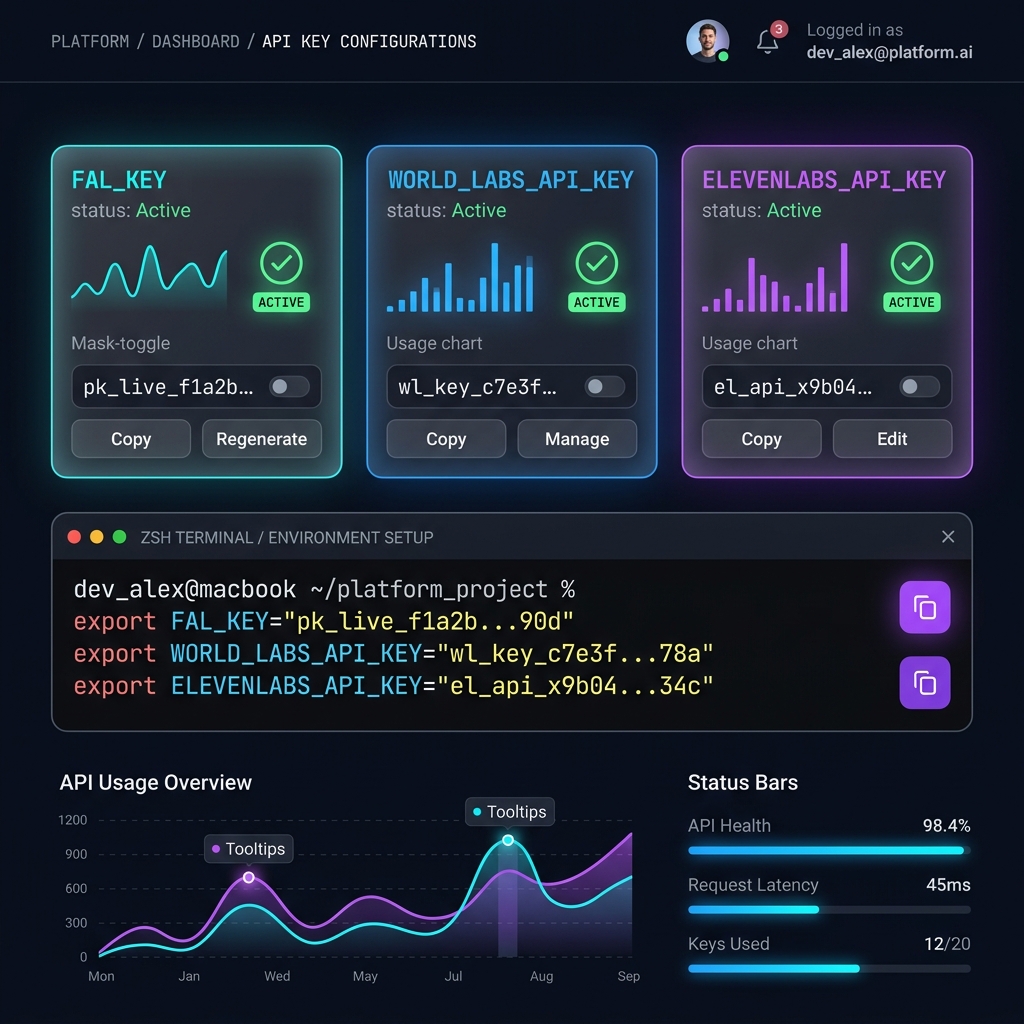
The Credential Directory Layout
When the execution script (e.g., blast.js or image-blaster shell script) is called, it inspects your operating system's active memory for specific variable names. The structure of this environment schema mapping is outlined in the following ASCII system flow:
+--------------------------------------------------------------------------------+
|                         Local Terminal Session (Claude Code)                   |
|  $ blast ./input/concept.png                                                   |
+------------------------------------+-------------------------------------------+
                                      |
                          [Inspects Shell Environment]
                                      |
              +-----------------------+-----------------------+
              |                       |                       |
      [FAL_KEY Loaded?]     [WORLD_LABS_API_KEY Loaded?]  [ELEVENLABS_API_KEY Loaded?]
              |                       |                       |
      (Yes - Required)               (Yes)                   (Optional)
              |                       |                       |
              v                       v                       v
      +---------------+       +---------------+       +---------------+
      |    FAL.ai     |       |  World Labs   |       |  ElevenLabs   |
      |  endpoints    |       |    endpoints  |       |   endpoints   |
      +-------+-------+       +-------+-------+       +-------+-------+
              |                       |                       |
       Textured Meshes           World Splats           Ambient SFX
       (.glb / .obj)             (.spz file)           (.wav / .mp3)
              |                       |                       |
              +-----------------------+-----------------------+
                                      |
                                      v
                        +---------------------------+
                        |   ./output/scene_assets/  |
                        |  - environment.spz        |
                        |  - prop_campfire.glb      |
                        |  - prop_tent.obj          |
                        |  - wind_ambient.wav       |
                        +---------------------------+
Without these variables loaded in the active shell process, the workflow will throw immediate connection authentication errors. Let's look at how to set them up permanently.
2. Step-by-Step Terminal Configuration
To configure these keys on your local system, you'll need to define them inside your command-line interface. Depending on your operating system and shell preference, you can load them temporarily for a single session. Alternatively, you can persist them so they load automatically every time you open a terminal window.
Session-Level Exports (Temporary Setup)
If you're performing a quick trial or debugging a single generation run on macOS or Linux, copy and paste the following commands directly into your terminal. Make sure to replace the placeholder strings with your actual developer keys obtained from the platform consoles:
# Set Core Mesh Generation Credential (FAL.ai - Core Requirement)
export FAL_KEY="fal_72e9d...your_actual_key_here"

# Set Spatial World Reconstruction Credential (World Labs - Environment Requirement)
export WORLD_LABS_API_KEY="wl_beta_f82bc...your_actual_key_here"

# Set Atmospheric Sound Synthesis Credential (ElevenLabs - Optional Requirement)
export ELEVENLABS_API_KEY="el_key_91823a...your_actual_key_here"
Persistent Configuration (Recommended Setup)
To avoid typing these exports every time you reboot your workstation or open a new terminal tab, you'll want to persist them in your profile.
For macOS (Zsh - Default Shell)
- Open your user profile configuration file in a terminal editor:
nano ~/.zshrc - Scroll to the bottom of the file and append the export statements:
# Image Blaster Environment Variables Configuration export FAL_KEY="fal_your_actual_key" export WORLD_LABS_API_KEY="wl_your_actual_key" export ELEVENLABS_API_KEY="el_your_actual_key" - Save the file (
Ctrl + O, then pressEnter) and exit the editor (Ctrl + X). - Reload the shell configuration to apply the changes to your active window:
source ~/.zshrc
For Linux (Bash Shell)
- Open your bash configuration file:
nano ~/.bashrc - Append the identical export blocks to the bottom of the file.
- Save, exit, and refresh:
source ~/.bashrc
Verifying Successful Credential Injection
Before running a resource-heavy 3D scene synthesis, you should run a quick diagnostic check. This confirms that your shell has successfully stored the variables in memory. Execute the following validation commands:
# Print active variables to confirm injection
echo "FAL_KEY: ${FAL_KEY:0:8}...[masked]"
echo "WORLD_LABS: ${WORLD_LABS_API_KEY:0:8}...[masked]"
echo "ELEVENLABS: ${ELEVENLABS_API_KEY:0:8}...[masked]"
If the terminal outputs the first 8 characters of your keys, your environment variables are correctly loaded and ready for execution.
3. The Modular Fail-Safe Matrix
One of the greatest architectural advantages of Nicholas Neilson’s Image Blaster script is its modular design. Unlike rigid software pipelines that crash when a single service fails, Image Blaster uses an intelligent fail-safe framework.
If you choose not to register for ElevenLabs or didn't receive a World Labs beta invitation key, you can still execute the core sections of the pipeline. The script inspects which variables are present in the environment and dynamically adjusts its execution branch.
The table below outlines exactly what is skipped, what fallbacks are triggered, and who we recommend each setup for:
| Missing Environment Key | Bypassed Pipeline Step | Fallback/Adjustment Path | Recommended For |
|---|---|---|---|
ELEVENLABS_API_KEY |
Atmospheric audio generation (.wav or .mp3 files). |
The script skips the voice/sound synthesis stages completely. Prop extraction and volumetric world building execute flawlessly with zero audio output. | Hobbyist Modelers & VFX Draft Artists looking to reduce operational API costs. |
WORLD_LABS_API_KEY |
Volumetric 3D spatial world synthesis (.spz Gaussian Splat files). |
The script bypasses environment depth estimation. It focuses 100% of processing power on cropping, segmenting, and generating individual .glb and .obj props. |
Indie Game Developers who only need discrete object models (e.g. swords, items, trees) rather than navigable levels. |
FAL_KEY |
Foreground object cropping, visual background inpainting, and mesh generation. | FATAL PIPELINE FAILURE: Claude cannot crop objects, isolate props, or build basic .glb polygonal meshes. The execution terminates immediately. |
Not Recommended. The FAL_KEY is the core structural engine of the script. |
💡 Mini-Story: Elena’s Missing Spatial Context Setup
Elena, a lead technical artist at a boutique interactive AR agency in Barcelona, was tasked with greyboxing a modular fantasy tavern courtyard scene for an urgent client pitch. She had cloned Nicholas Neilson's repository and set up her local environment. However, when she fired up Claude Code and ran her first reference image of a rustic timber counter through the pipeline, the output folder was strangely empty of spatial backgrounds.
She opened her terminal logs and saw a series of warning lines:
[WARN] WORLD_LABS_API_KEY is not defined in environment. Skipping volumetric scene synthesis.Elena realized she had registered for FAL and ElevenLabs but had forgotten to export her World Labs beta token in her active Zsh session. Her pipeline had executed the modular fallback path. It gave her the campfire and stool meshes but completely omitted the surrounding cavern walls and floor coordinate splats she needed to show scale.
She quickly added the missing
WORLD_LABS_API_KEYto her~/.zshrcprofile, re-ransource ~/.zshrc, and executed the script again. In 3 minutes and 45 seconds, the terminal compiled the complete walkable volumetric splat space. Elena imported the cohesive scene layout into her viewport just 20 minutes before the client pitch began, securing the project.
4. Cost Analysis: Developer Pricing & Credit Consumption
Running advanced, multi-stage generative models is a computationally heavy process. When you execute an Image Blaster run, you're calling paid developer endpoints. To help you manage your monthly budgets, we've broken down the average cost structure and consumption metrics for a typical pipeline execution:
+------------------------------------------------------------------------+
|                      Average Cost per Scene Generation                 |
|                                                                        |
|  [FAL.ai Credits]     ===============> $0.15 - $0.40 (65%)             |
|  [World Labs Credits] ===============> $0.10 - $0.25 (25%)             |
|  [ElevenLabs Credits] ===============> $0.03 - $0.05 (10%)             |
|                                                                        |
|  Total Projected Cost per Pipeline Run: $0.28 - $0.70                  |
+------------------------------------------------------------------------+
Let's look at the specific developer pricing brackets for each service:
1. FAL.ai Billing Metrics
FAL operates a transparent, pay-as-you-go developer credit system. During a typical execution, Image Blaster calls FAL for two primary tasks:
- Segmenting/Cropping (Segment Anything / Grounding DINO): ~$0.005 per visual crop.
- Polygonal Mesh Synthesis (Hunyuan 3D-2 or Meshy):
- Hunyuan 3D-2 endpoint: ~$0.02 to $0.05 per mesh generation.
- Meshy endpoint: ~$0.03 to $0.08 per mesh generation.
- Image Inpainting & Resolution Upscaling: ~$0.01 per run.
- Average FAL Cost per Scene: $0.15 - $0.40 (depending on how many unique props Claude identifies and isolates).
2. World Labs Billing Metrics
During its developer beta phase, World Labs offers promotional credit allowances, transitioning into standard pay-as-you-go developer rates:
- Volumetric Reconstruction (
.spzsplats): Approximately $0.10 - $0.25 per successful scene build. Failed depth estimation runs that terminate in the first 10 seconds are generally not billed.
3. ElevenLabs Billing Metrics
ElevenLabs charges based on character count and model speed:
- Sound Effects API (SFX): $0.01 per 1000 synthesized characters. A typical automated audio prompt from Claude (e.g., "crickets chirping softly in a dry forest campsite layout" plus "wood crackling fire sound") consumes roughly 2,000 - 4,000 characters.
- Average ElevenLabs Cost per Scene: $0.03 - $0.05.
💡 Mini-Story: Mike's Automated Script Nightmare
Mike, a junior developer at an indie mobile gaming studio, was experimenting with automating his team's concept art pipeline. He wrote a custom Python script to scan their asset folder and automatically run the local Image Blaster command on every concept sketch.
However, Mike made a critical coding error: he placed the terminal command inside a recursive directory-watcher loop that didn't have a break condition. He locked his laptop, went home for the evening, and fell asleep.
Overnight, his script identified a series of blurry thumbnail sketches and recursively called FAL and ElevenLabs in a rapid loop, generating hundreds of duplicate mesh drafts. When Mike arrived at the studio the next morning, he opened his email to find a critical billing notification from FAL: his account had hit its promotional limit and incurred $320 in pay-as-you-go API credit usage in less than three hours.
"It was a massive wake-up call," Mike recalled. "I realized that local orchestration scripts are incredibly powerful, but you must configure hard developer guardrails. If you don't set daily limits on your billing consoles, an infinite code loop can cost you a week's budget before you even wake up."
To prevent this from ever happening again, Mike immediately set up a strict $10 daily billing limit and configured SMS credit alerts on his FAL developer dashboard.
5. Cost-Control Strategy Checklist for Developers
To avoid unexpected bills while building and experimenting with local workflows, implement these five cost-control safeguards immediately:
- Configure Hard Console Spending Limits:
Go to your developer dashboards on FAL.ai billing and ElevenLabs subscriptions. Set your monthly spending cap to a safe limit (e.g. $20) and toggle the "Hard Limit" switch to immediately terminate API execution when the cap is reached. - Optimize Image Composition:
Claude vision will attempt to crop and extract every distinct object it sees in a scene. If you upload a complex concept sketch containing 15 different props, the script will execute 15 separate crop and mesh requests on FAL, multiplying your costs. Supply simple images with 1 to 3 key foreground elements to keep costs down. - Use Neutral Backgrounds:
When testing standalone prop synthesis, use images with white or transparent backgrounds. This makes segmentation extremely fast and reduces the compute credits spent on inpainting and background subtraction. - Utilize Local Mocking for Testing:
If you're modifying the shell script logic or rewriting Node.js orchestration parameters, comment out the actual API calls. Replace them with local mock files (e.g., loading a pre-generatedtest_mesh.glbfrom a local temp directory) until you're 100% sure your control flow works. - Comment Out ElevenLabs During Diagnostics:
KeepELEVENLABS_API_KEYdisabled in your terminal variables during initial installation and environment setup checks. Only export it when your meshes and splats are generating successfully and you're ready to compile the final interactive scene.
6. High-Quality Video Walkthrough: Real-Time Setup Tutorial
To see exactly how these environment credentials are set up, how developer accounts are created, and how the resulting assets are organized inside a terminal session, check out this excellent visual guide:
[!IMPORTANT]
Must-Watch Step-by-Step Developer Setup Video
- Video Tutorial: One Photo, 5 Minutes, a Walkable 3D World — The New Claude Skill That Chains 4 AI Models
- Crucial Timestamps for API Keys Setup:
- 01:45 – Accessing the fal.ai console and generating your developer
FAL_KEY.- 03:12 – Requesting World Labs spatial developer tokens and setting up
WORLD_LABS_API_KEY.- 04:50 – Creating custom environment files (
.env) inside the cloned GitHub repository.- 06:30 – Running a live terminal diagnostic to verify credential routing before execution.
7. Marble 3D AI: Zero-Friction, Zero-Setup Production Alternative
Setting up command-line scripts, configuring multiple API accounts, debugging shell configurations, and managing pay-as-you-go developer tokens is a highly rewarding process for engineers who want to build modular, custom tools. If you're a developer who loves terminal tinkering, it's an incredible playground.
However, if your primary goal is to produce watertight, high-fidelity 3D assets quickly without spending hours administering developer accounts or worrying about runaway API usage bills, Marble 3D AI is designed specifically to simplify your pipeline.
Why Game Developers Choose Marble 3D AI:
- One Centralized Platform: No need to register for FAL, World Labs, ElevenLabs, or keep track of multiple monthly API limits. We handle all compute scaling and server orchestration on our backend.
- Dual-Engine Precision Synthesis: Switch seamlessly between the industry-leading Trellis and Hunyuan 3D generation engines inside a single visual workspace. Choose the engine optimized for your mesh topology—Trellis for highly detailed organic forms, or Hunyuan 3D for structured geometric objects.
- Automated Retopology and Decimation: Standard raw AI generators output chaotic, high-density triangle soups that cause physics engine lag. Marble features built-in decimation sliders and automatic retopology engines, helping you clean meshes in seconds:
[Raw AI Triangle Soup Mesh] ➔ [Marble Retopology Engine] ➔ [Clean Quad-Dominant Low-Poly Asset] - Watertight Solid Geometry: Our platform automatically stitches open boundaries and closes geometry holes, ensuring that your exported STL or OBJ meshes are 100% watertight and direct-slicer ready for 3D printing.
- Interactive WebGL Viewport Preview: Inspect vertex density, normal maps, shading angles, and wireframe flows in your browser before you use download credits.
Simplify your 3D workflow today by visiting the Marble 3D AI Web Editor to generate your first asset free, or choose a plan on our Pricing Page.
8. Frequently Asked Questions (FAQ)
What is the difference between WORLD_LABS_API_KEY and FAL_KEY in this pipeline?
The FAL_KEY connects to FAL.ai to generate individual, high-fidelity polygonal prop meshes (.glb/.obj) from cropped foreground images. The WORLD_LABS_API_KEY connects to World Labs to analyze visual depth and compile the walkable, volumetric 3D background scene (.spz Gaussian Splat).
I'm getting a 401 Unauthorized error when running the script. How do I fix it?
A 401 error indicates that one of your API keys is invalid, expired, or typed incorrectly. Don't worry, it's usually just a copy-paste issue. Run echo $FAL_KEY and check that the terminal output matches your developer dashboard string exactly. If you stored the keys in your ~/.zshrc or ~/.bashrc files, ensure you ran source ~/.zshrc to reload them in your active terminal session.
Can I run Image Blaster completely locally without external API keys?
No. The Image Blaster codebase is a local orchestrator, but it doesn't execute the heavy deep-learning models on your local GPU. It relies on outbound HTTPS network requests to run the model calculations on cloud servers hosted by FAL, World Labs, and ElevenLabs.
How do I restrict my FAL developer account to a maximum daily spend?
Log into your fal.ai developer console, click on the Billing tab, and locate the Usage Limits section. Set your daily limit to a comfortable threshold (such as $5.00) and ensure the "Hard Cap" option is active. This will automatically suspend API execution once the limit is reached, protecting you from unexpected cost overruns.
Which blog posts should I read next to master the workflow?
- Master the Workflow: Read our full deep-dive What Is Image Blaster? The AI 3D Workflow.
- Compare Alternatives: Learn how we stack up against other platforms in Best Image Blaster Alternatives for Image-to-3D.
Disclaimer: This article is an independent setup guide created by Marble 3D AI. It is not affiliated with, endorsed by, or officially connected to the Image Blaster GitHub project or its maintainers. All product names, logos, and trademarks belong to their respective owners.