Tripo 3D vs Hunyuan 3D vs Marble: Which AI 3D Generator Actually Produces Game-Ready Assets in 2026?
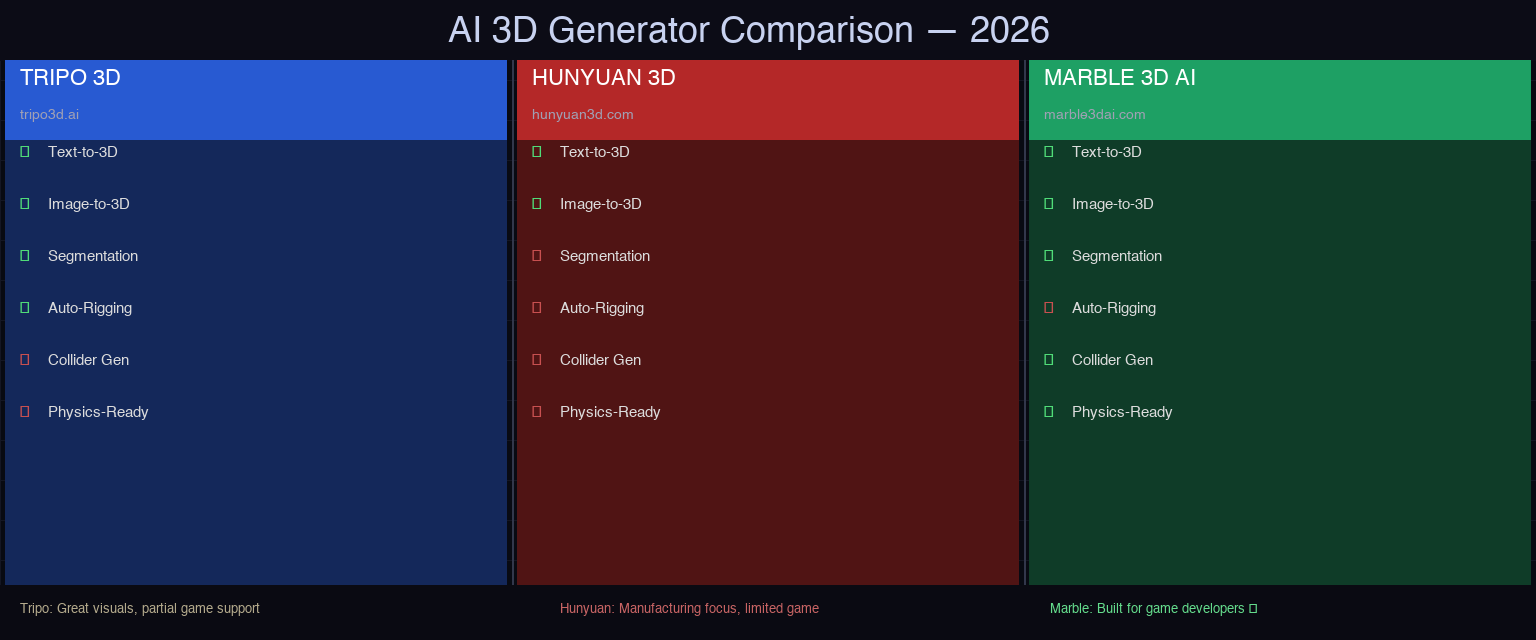
If you've been researching AI 3D generation tools lately, two names keep showing up: Tripo 3D and Tencent Hunyuan 3D. Both promise to turn images or text into 3D models in seconds. Both have serious enterprise backing. Both generate visually impressive previews.
But if you're a game developer, the real question isn't "which one makes pretty models"—it's "which one makes assets I can actually use in my game without spending hours fixing them?"
We ran both tools through a practical game development workflow. Here's what we found.
What Are Tripo 3D and Hunyuan 3D?

Tripo 3D (tripo3d.ai) is developed by Tripo AI, a Singapore-based 3D AI company. It supports both text-to-3D and image-to-3D generation, along with segmentation, AI texturing, and auto-rigging. The company claims over 6.5 million creators and partnerships with companies like Sony, Tencent, and Stability AI.
Tencent Hunyuan 3D is Tencent's entry into the AI 3D space. It's part of Tencent's broader Hunyuan AI family, which includes their large language model and image generation tools. It offers image-to-3D and text-to-3D capabilities focused on game and manufacturing use cases.
Both are legitimate, production-grade tools. This isn't a theoretical comparison—these are the two main competitors in the AI 3D generation space right now.
The Preview Problem: Beautiful Models, Messy Exports
Here's what both Tripo 3D and Hunyuan 3D show you in their demos and marketing:
- High-quality mesh previews
- Clean surface appearance
- Textured models in well-lit scenes
- Fast generation times (10–60 seconds)
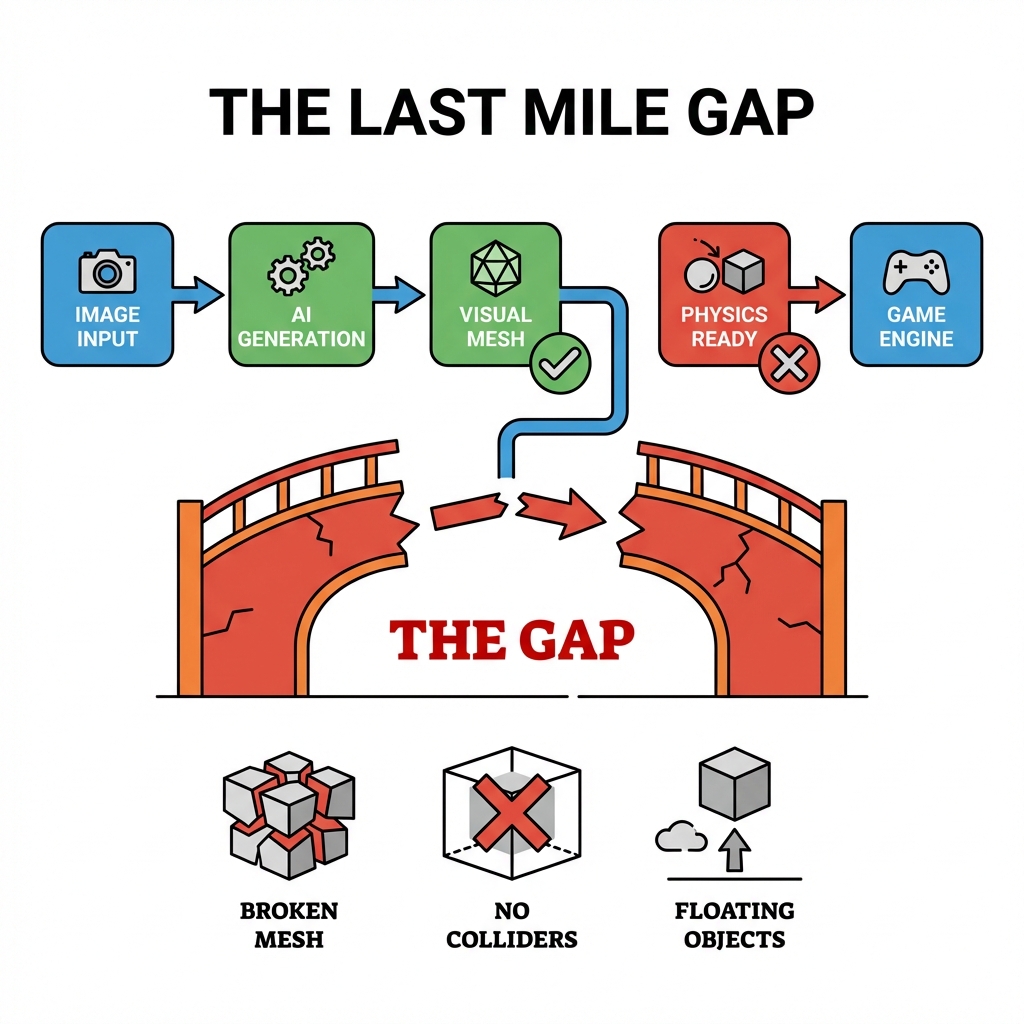
Here's what you get when you hit Download and import into Unity or Unreal:
- Tripo: Users report models that look great in Blender and Unreal—but those user testimonials are from Blender artists and VFX professionals. Drop the same GLB into Unity and you're still dealing with colliders, scale calibration, and pivot point adjustments.
- Hunyuan: The 3D.0 version shows improvements in geometry quality, but Tencent's tool is primarily built for manufacturing and 3D printing contexts. Game engine optimization isn't the stated focus.
This is the core problem we identified in our AI-to-Blender workflow analysis: AI generators optimize for visual quality in their preview environments. Game engine compatibility—colliders, topology, scale, pivot—is a secondary concern at best.
Head-to-Head: Tripo 3D vs Hunyuan 3D
Feature Comparison
| Feature | Tripo 3D | Hunyuan 3D | Marble 3D AI |
|---|---|---|---|
| Text-to-3D | ✓ | ✓ | ✓ |
| Image-to-3D | ✓ | ✓ | ✓ |
| Segmentation | ✓ Intelligent | Limited | ✓ |
| AI Texturing | ✓ 4K PBR | Basic | ✓ |
| Auto-Rigging | ✓ | ✗ | ✗ |
| Topology Quality | Good | Varies | Clean, game-ready |
| Collider Generation | ✗ | ✗ | ✓ Auto |
| Physics-Ready Output | ✗ | ✗ | ✓ Yes |
| Game Engine Optimization | Partial | Limited | Unity + Unreal |
| Free Tier | ✓ Limited | ✓ Rate-limited | ✓ |
| Commercial Use | ✓ | ✓ | ✓ |
📺 Watch: The Standard AI 3D to Game-Ready Asset Workflow
AI 3D Model to Game Ready Workflow
Where Both Fall Short for Game Developers
This is the part both Tripo 3D and Hunyuan 3D don't advertise: game engine compatibility requires more than good-looking geometry.
When you import an AI-generated model into Unity or Unreal, you're typically still facing four categories of problems.
1. Missing Colliders
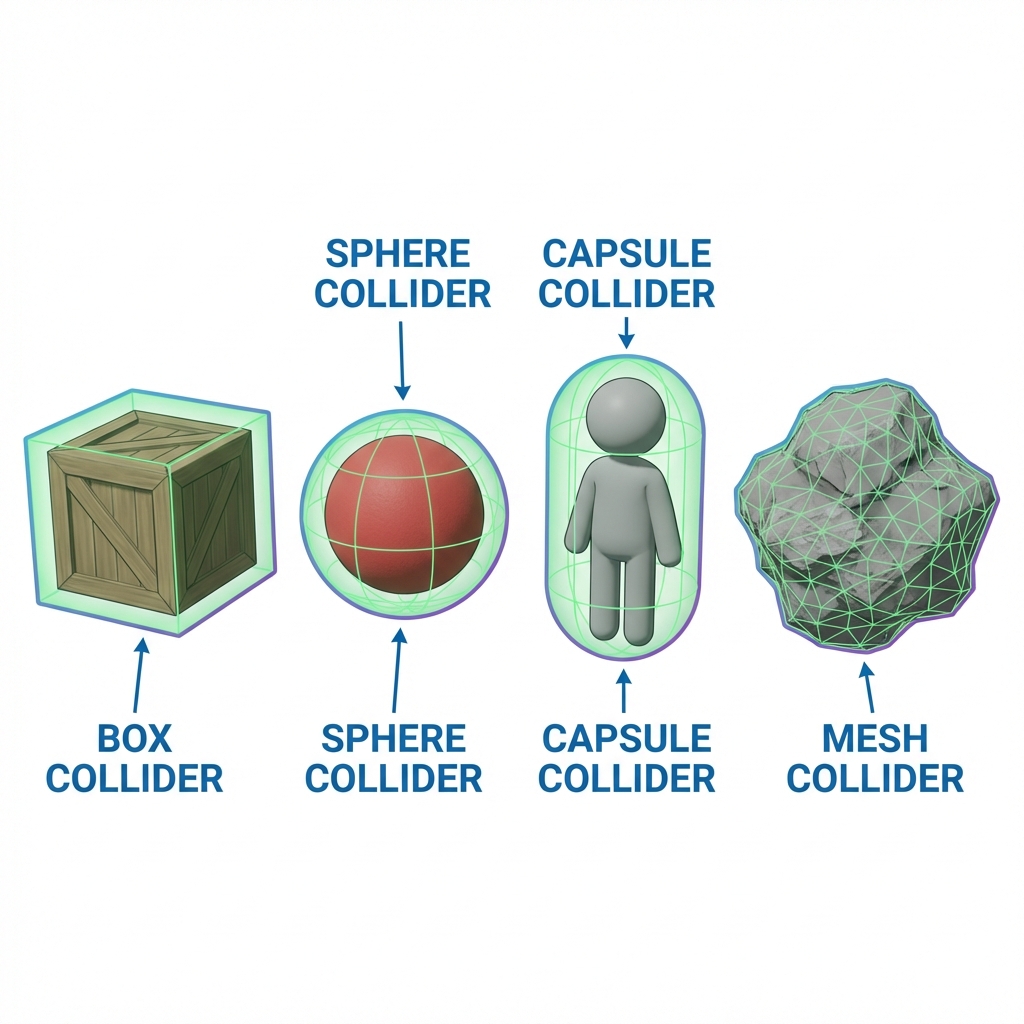
Neither Tripo nor Hunyuan generates colliders as part of the standard export. Your character looks perfect in the preview—but walks through walls the moment you hit Play in Unity. Someone has to build the collision mesh manually. For a full game's asset library, that's 30–60 minutes per character, multiplied by however many assets you need.
📺 Watch: How Unity Collision Detection Actually Works
Unity Collision Detection Tutorial
2. Topology That Breaks Animation
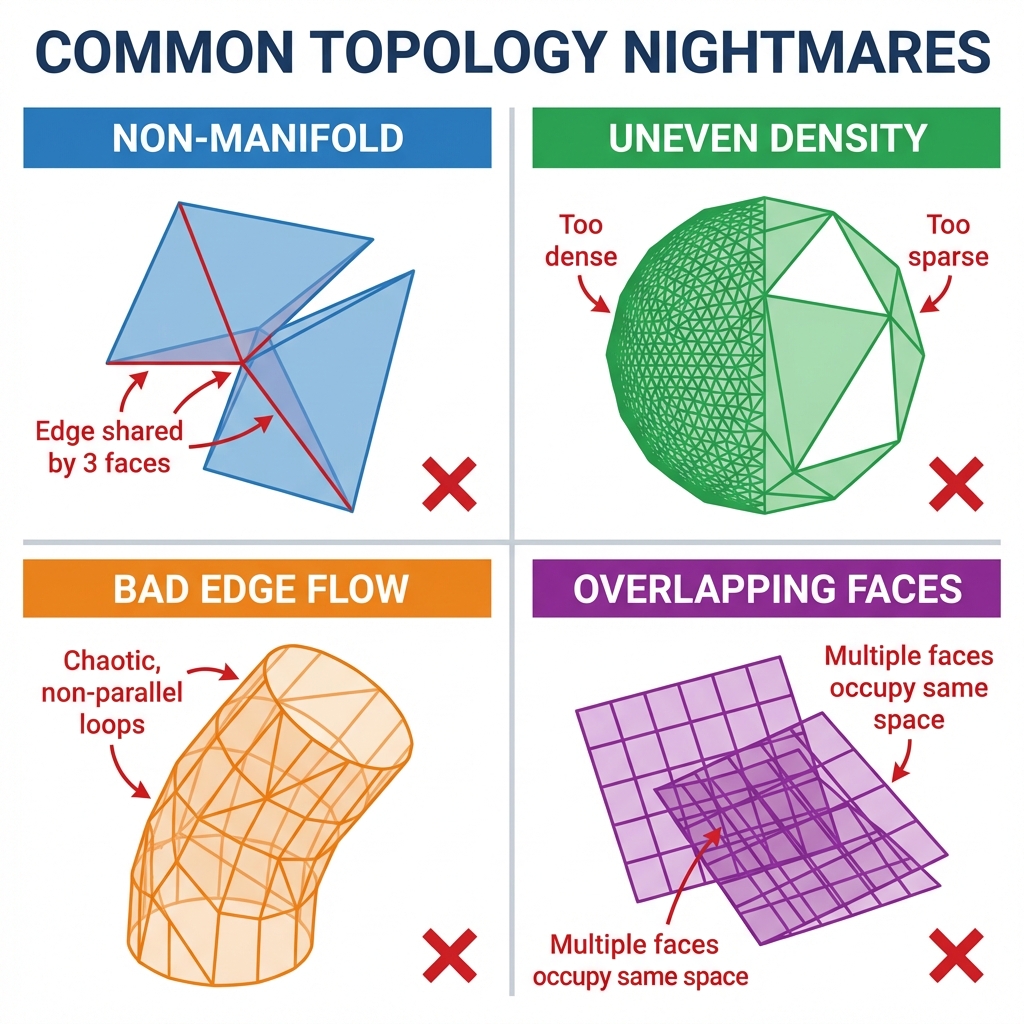
Tripo claims "sharp geometry and solid topology." But game animation requires clean edge loops for deformation—the kind of topology you get from manual retopology, not AI generation. Models that look great as static objects often deform badly when rigged.
This is the Retopology Trap—the hidden 12–20 minutes of cleanup work that makes AI 3D workflows feel faster in theory but not in practice.
📺 Watch: Full Guide to Game-Ready Topology in Blender
Full Guide to GAME READY Topology in Blender
3. Scale and Pivot Mismatches
Both tools generate models optimized for their own preview environments. When you bring them into Unity, the scale might be wrong, the pivot point might be off-center, or the coordinate system might not match your project defaults. This sounds minor—until you're placing 30 assets in a scene and none of them align.
4. No Center of Mass Calculation
Physics simulation in Unity requires knowing an object's center of mass. AI-generated models don't include this data. Your character will behave unpredictably in physics interactions until you calculate and set it manually.
Introducing Marble: Built for Game Developers from Day One

Tripo and Hunyuan are impressive tools. But they're not built specifically for game developers. Marble 3D AI was.
Marble's Spatial Consistency Engine is designed around one principle: the output isn't done when the model looks right. It's done when the model works in your game engine.
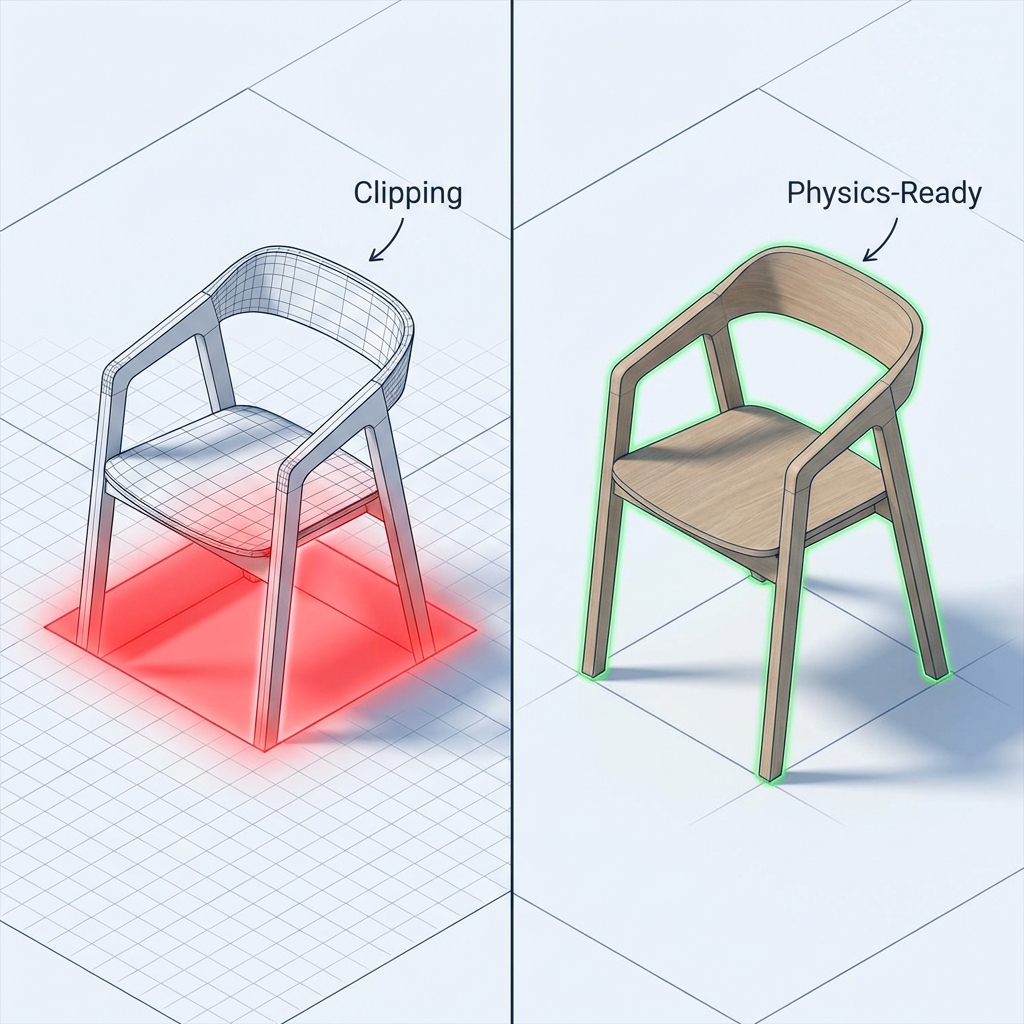
This is what we call Physics-Ready 3D—an output standard where every asset arrives with:
- Clean, game-ready topology — under 50K triangles for full characters, with proper edge flow for deformation
- Pre-generated colliders — simplified collision meshes that work in Unity and Unreal out of the box
- Correct pivot and scale — aligned to standard game engine defaults (1 Blender unit ≈ 1 meter)
- Center of mass data — pre-calculated so physics simulation behaves correctly from frame one
- Proper UV maps — organized and ready for PBR texture inputs
With Tripo or Hunyuan, you're still doing 30–90 minutes of post-processing per asset. With Marble, you import and ship.
📺 Watch: How the Marble Spatial Consistency Engine Works
Spatial Consistency Engine — Technical Deep Dive
Real Talk: When to Use Each Tool
Use Tripo 3D if:
- You're doing VFX, Blender work, or static renders
- You have a team that can handle topology cleanup and collider setup
- You need auto-rigging for character animation
- You're in the concepting/prototyping phase
Use Hunyuan 3D if:
- You're in manufacturing, 3D printing, or product visualization
- You have tolerance for manual post-processing for game use
- You're comparing AI 3D tools and want to evaluate Tencent's approach
Use Marble 3D AI if:
- You're a game developer using Unity or Unreal
- You need assets that go from AI output directly into your scene
- You want colliders, correct scale, and physics-ready data included automatically
- You're building an asset library and can't afford 30–60 minutes of cleanup per item
📺 Watch: Asset Pipeline Bottlenecks Every Indie Developer Should Know
Indie Game Dev Asset Pipeline Bottlenecks
The Bottom Line
Tripo 3D and Hunyuan 3D represent genuine progress in AI 3D generation. They're worth watching, worth experimenting with, and worth using for the right use cases.
But for game developers specifically, neither tool fully solves the export problem. Beautiful previews don't translate to production-ready assets without significant manual work.
Marble 3D AI was built to close that gap. If you're tired of spending more time fixing AI outputs than you're saving by using them, the issue isn't AI—the issue is that most AI 3D tools aren't actually designed for game development workflows.
Try Marble and see what a game-first AI 3D generator actually looks like.
Related Reading
- Why Your AI-Generated 3D Assets Look Great in Preview but Break in Blender — The technical deep-dive on why the AI-to-Blender gap exists and how to close it
- What Is Physics-Ready 3D? — The full definition and rationale behind the Physics-Ready standard that Marble implements
- How Marble's Spatial Consistency Engine Works — The technical architecture behind Marble's game-first approach
- Unity AI 3D Model Clipping: How to Fix It — Direct solutions for the specific clipping problem Hunyuan and Tripo users face in Unity