Why Your AI-Generated 3D Assets Look Great in Preview but Break in Blender
You know the feeling. You generated a 3D model with an AI tool. The preview looks amazing—clean shapes, beautiful textures, everything you wanted. You download it, import it into Blender, and immediately start seeing problems.
The mesh has hundreds of thousands of triangles where you only needed a few thousand. Normals are flipped in places you can't even see from the outside. The object is tiny—or enormous—relative to your scene. There's no UV map, or the UVs are completely unusable. You spend the next two hours in edit mode doing cleanup work that you thought the AI was supposed to handle for you.
This isn't your fault. It's a structural mismatch between how AI 3D generators produce models and what Blender (and game engines) actually need to work with them.
This is the AI-to-Blender workflow gap. And it's the reason so many artists end up spending more time fixing AI outputs than they would have spent modeling from scratch.
The Preview Problem: Why AI 3D Demos Look Better Than They Are
Here's what most AI 3D tools show you in their browser preview:
- High-polygon meshes rendered in real-time
- Textures applied via shader (not UV-mapped)
- Auto-generated normals that look smooth even on low-quality geometry
- A perfectly lit scene that hides surface imperfections
All of this looks great. But it's not what you get when you hit "Download GLB."
What you actually get is:
- A mesh with topology optimized for rendering, not for deformation or animation
- Textures that may be baked or procedurally applied in the preview but aren't exported as standard PBR maps
- A scale and pivot point that may not match your project defaults
- No colliders, no LODs, no physics-ready properties
This is fine if you're making a static render. It's a serious problem if you're building a game.
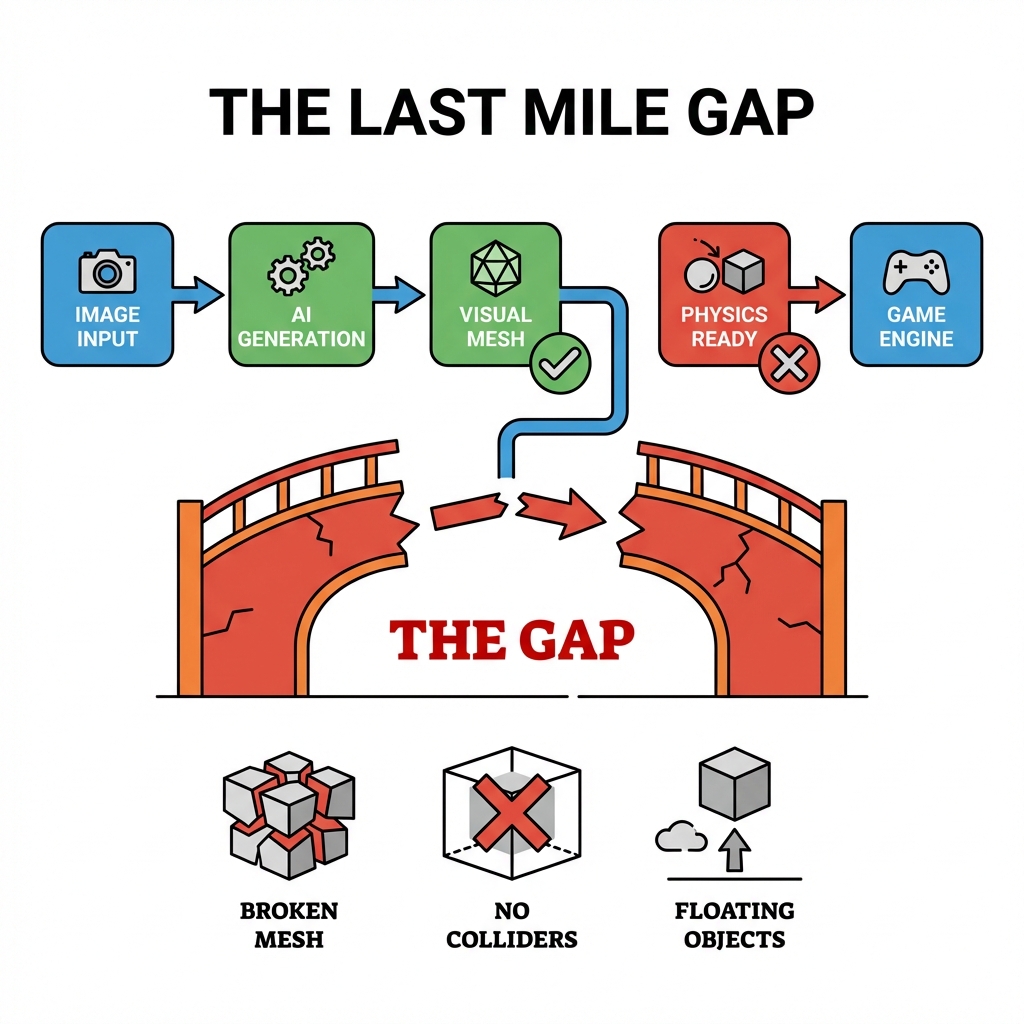
Three Problems That Appear the Moment You Import into Blender
Problem 1: Topology That Breaks Everything
AI-generated meshes are often produced by diffusion models that reconstruct 3D geometry from 2D images. The result is visually correct but topologically chaotic—triangles everywhere, n-gons hidden in flat surfaces, poles clustered in the worst possible locations.
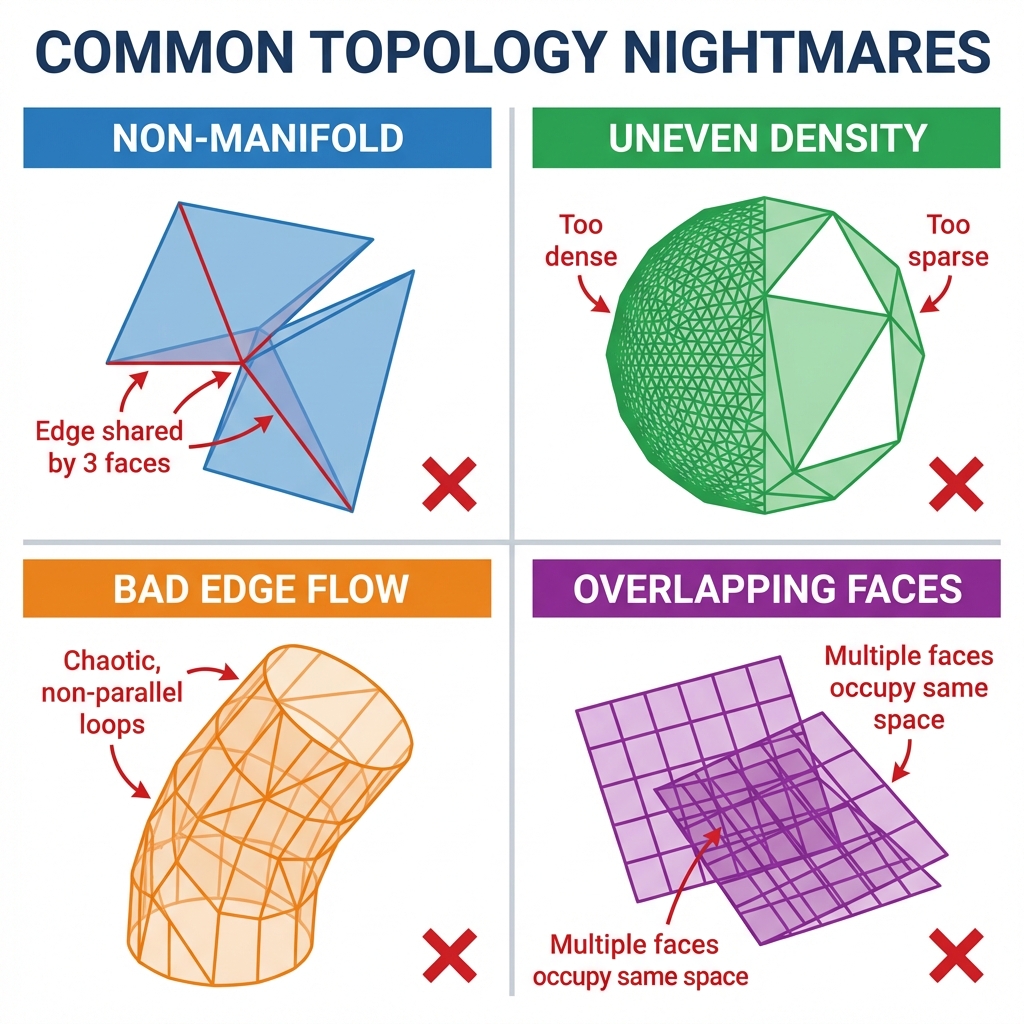
In Blender, this causes:
- Subdivision surface modifiers fail because the base mesh has non-manifold geometry
- UV unwrapping produces garbage because edge flow is completely arbitrary
- Rigging and animation are nearly impossible because there is no clean edge loop structure
- Performance tanks in real-time engines because you have 500K triangles where you needed 15K
For game assets, you need clean, game-ready topology. The Retopology Trap—where artists spend 12 minutes or more per asset cleaning up AI output—is one of the biggest hidden costs in AI 3D workflows right now.
Watch: The Standard Workflow for Turning AI 3D Models into Game-Ready Assets
AI 3D Model to Game Ready Workflow
Problem 2: No Physics Properties
Game engines need colliders. Not just visual meshes—simplified collision geometries (box colliders, sphere colliders, convex hulls) that tell the physics engine where objects should collide.
AI generators don't produce these. They're focused on visual fidelity, not physics compatibility. So when you import an AI-generated asset into Unity or Unreal, you get a beautiful mesh that passes right through the floor the moment you hit Play.
Someone has to build the colliders manually. For a single character, that's 30–60 minutes of work. For a full game's asset library, it becomes an enormous time sink.
Problem 3: Scale, Pivot, and Coordinate System Mismatches
Blender, Unity, and Unreal all have their own coordinate conventions and default unit scales. AI generators don't always respect these. An asset that looks perfectly sized in the AI preview might be 100x too small or too large in your Blender scene. The pivot point might be at the world origin instead of the object's center of mass.
This sounds minor until you're trying to place 30 assets in a scene and none of them align because they all have different implicit scales.
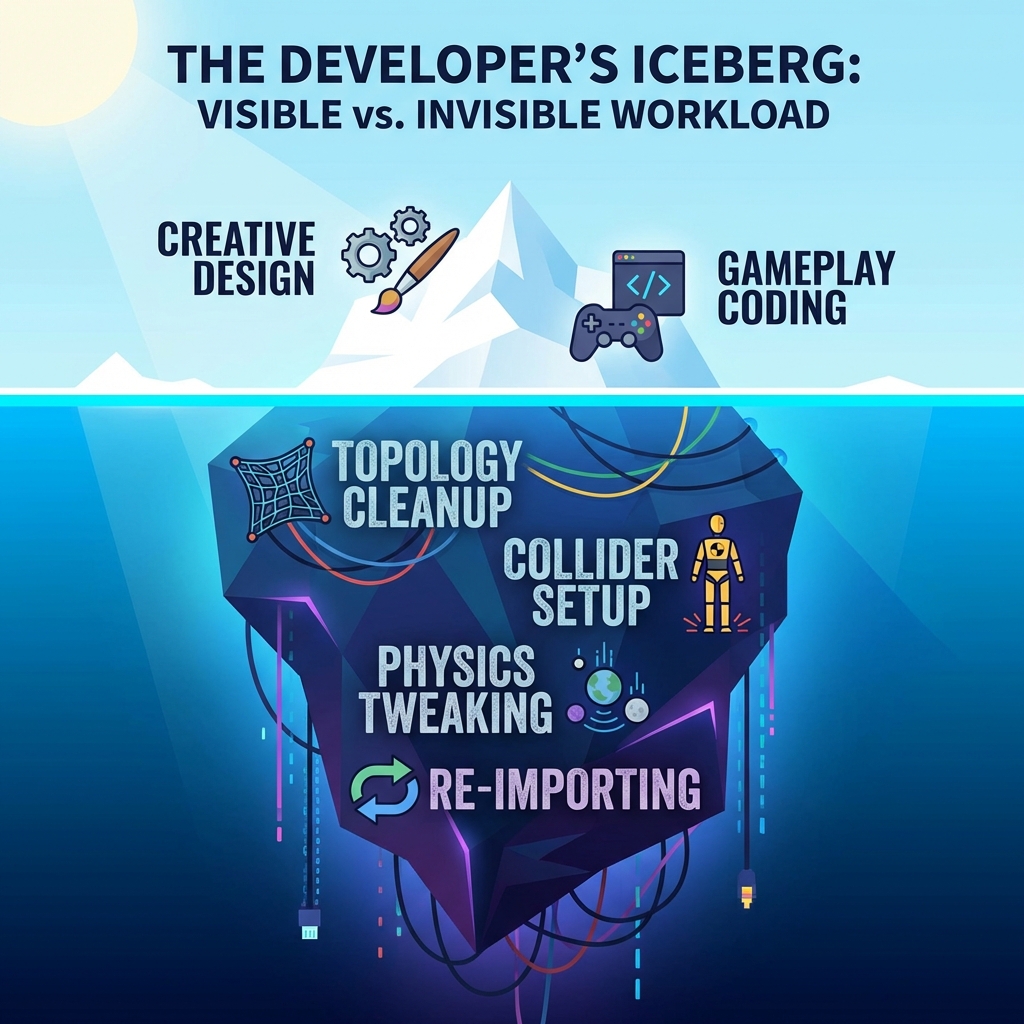
The Real Cost: 70% of AI 3D Workflow Time Isn't Generation
The most overlooked statistic in AI 3D generation is this: most of the time spent on AI-generated assets happens after generation.
For professional game development workflows, the breakdown typically looks like this:
| Task | Time with Traditional 3D | Time with AI 3D (without Physics-Ready) |
|---|---|---|
| Initial generation | 0 | 2–5 min |
| Topology cleanup | 60–90 min | 12–20 min |
| UV unwrapping | 30–60 min | 10–15 min (often still bad) |
| Collider setup | 30–60 min | 30–60 min |
| Scale/pivot correction | 5 min | 5–15 min |
| Total post-processing | 125–215 min | 57–110 min |
The promise of AI 3D is supposed to be eliminating that 125–215 minutes. But without Physics-Ready outputs, you're still spending 57–110 minutes per asset—and getting worse topology than if you'd started from scratch.
Watch: Asset Pipeline Bottlenecks Every Indie Developer Should Know
Indie Game Dev Asset Pipeline Bottlenecks
The actual efficiency gain only appears when the asset arrives pre-optimized for production use.
What Physics-Ready Actually Means for Blender Workflows
Physics-Ready is a specific output standard, not a marketing term. A truly Physics-Ready 3D asset arrives with:
- Clean, game-ready topology — typically under 50K triangles for a full character, with proper edge flow for deformation
- Proper UV maps — unwrapped, organized, ready for PBR texture inputs
- Auto-generated colliders — simplified collision meshes that work in Unity and Unreal out of the box
- Correct pivot and scale — aligned to standard game engine defaults (1 Blender unit ≈ 1 meter)
- Center of mass data — pre-calculated so physics simulation behaves correctly from frame one
This is the standard that Marble 3D AI's Spatial Consistency Engine targets as the output format—not just a visually correct model, but a production-ready asset that goes directly into your scene without a second round of cleanup.
Watch: The Full Guide to Game-Ready Topology in Blender
Full Guide to GAME READY Topology in Blender
The Blender-to-Game-Engine Pipeline Problem
Blender is where most game assets get their final preparation before engine import. The standard pipeline looks like this:
[Concept / Reference] → 2D art
       ↓
[Modeling] → Base mesh in Blender
       ↓
[Retopology] → Clean game-ready mesh  ← longest step
       ↓
[UV Unwrapping] → Texture coordinate mapping
       ↓
[Texturing] → PBR maps in Substance or similar
       ↓
[Collider Setup] → Physics mesh preparation
       ↓
[Export] → GLB/GLTF to Unity or Unreal
AI 3D tools insert themselves at the Modeling step—but the output still needs Retopology, UV Unwrapping, and Collider Setup completed before it's actually usable. The result is that AI generation doesn't replace the full workflow; it adds a new step (fixing AI output) on top of the existing steps.
Physics-Ready 3D tools like Marble are designed to handle Retopology, UV Unwrapping, and Collider Setup at generation time, so what comes out of the AI is what you'd get after completing those steps manually.
How to Evaluate AI 3D Tools for Game Development
Not all AI 3D generators are created equal for game development workflows. Here's a practical evaluation framework:
Questions to ask before you commit to an AI 3D workflow:
- What does the exported mesh topology actually look like? Run a mesh analysis in Blender before you download. Check triangle count, pole density, and edge flow.
- Are colliders included or do I build them manually? This is the single biggest post-processing cost for game assets.
- What file formats are supported? GLB/GLTF is the standard for game engines. FBX support is also common.
- Does the export respect scale and pivot conventions? Test with a known object before committing to a full workflow.
- Can I use the output commercially? Some AI generators have restrictive licenses on commercial game use.
Marble 3D AI is built specifically for this workflow. The Spatial Consistency Engine cross-verifies geometry at generation time, producing assets optimized for Blender, Unity, and Unreal simultaneously—rather than optimizing for visual preview and letting you handle the rest.
Where the AI 3D + Blender Workflow Is Going
The current generation of AI 3D tools has a fundamental limitation: they're trained on visual 3D data, not engineering or game production data. That means they produce visually correct models, but models that fail at the structural requirements of real-time rendering and physics simulation.
The next wave of tools—including Marble's approach—treats game engine compatibility as a first-class constraint of generation, not a post-processing step. The output isn't a rendered image of a 3D model. It's a GLB file you can drag directly into Unity, Unreal, or Blender with confidence that it will behave correctly.
Until that becomes the standard, the workflow gap we've described here will remain one of the biggest practical barriers to AI 3D adoption in game development.
Try Physics-Ready 3D Generation
If you're spending more time fixing AI-generated assets than you're saving by using them, the problem isn't AI—the problem is output format. Marble 3D AI generates Physics-Ready assets that arrive clean, properly scaled, and with colliders pre-generated.
Physics-Ready 3D Topic Matrix
This article is part of a series on Physics-Ready 3D assets and the workflow problems they solve. Continue reading based on where you're stuck:
- What Is Physics-Ready 3D? Why AI-Generated Models Still Need "One More Step" — Start here if you're new to the concept and want the full picture before diving into specific tools.
- How Marble's Spatial Consistency Engine Produces Physics-Ready 3D Assets — Go deeper on the mechanism: dual-engine verification, collider auto-generation, and the technical architecture behind the output.
- Unity AI 3D Model Clipping: How to Fix It and Avoid It Going Forward — If you're currently debugging clipping and collision problems in Unity, this is the most directly useful article.
- Ghost Collision: Why Unity / Unreal Characters Hit Invisible Walls — If the problem you're running into is character movement and invisible collision geometry, this is the right next read.
- The Indie Developer's Hidden Time Killer: Why 3D Asset Post-Processing Eats 70% of Dev Time — If you're an indie dev or small team trying to understand the real cost of asset workflows, finish with this one.